Argo Live Object Status shows the live status of the Kubernetes resources deployed by the Argo CD Applications mapped to the project. This lets you monitor and safely troubleshoot Argo CD controlled deployments from within Octopus Deploy
Outwardly this is an identical capability to that available for Kubernetes based projects. However when used with Argo CD, neither the Kubernetes agent nor the Kubernetes monitor are required.
Where it is available
Using Argo CD Live Object Status requires the following:
- Octopus Deploy 2025.4+ (Sync Status requires 2026.1+)
- A registered Argo CD Instance
- Annotations on your Argo CD Applications, mapping them onto Octopus Deploy projects
- A deployment process containing an Argo CD step (either Update Argo CD Image Tags or Update Argo CD Application Manifests)
How to use Live Status
Once the prerequisites have been fulfilled, toggle the switch on the dashboard to show live status in place of deployment status.
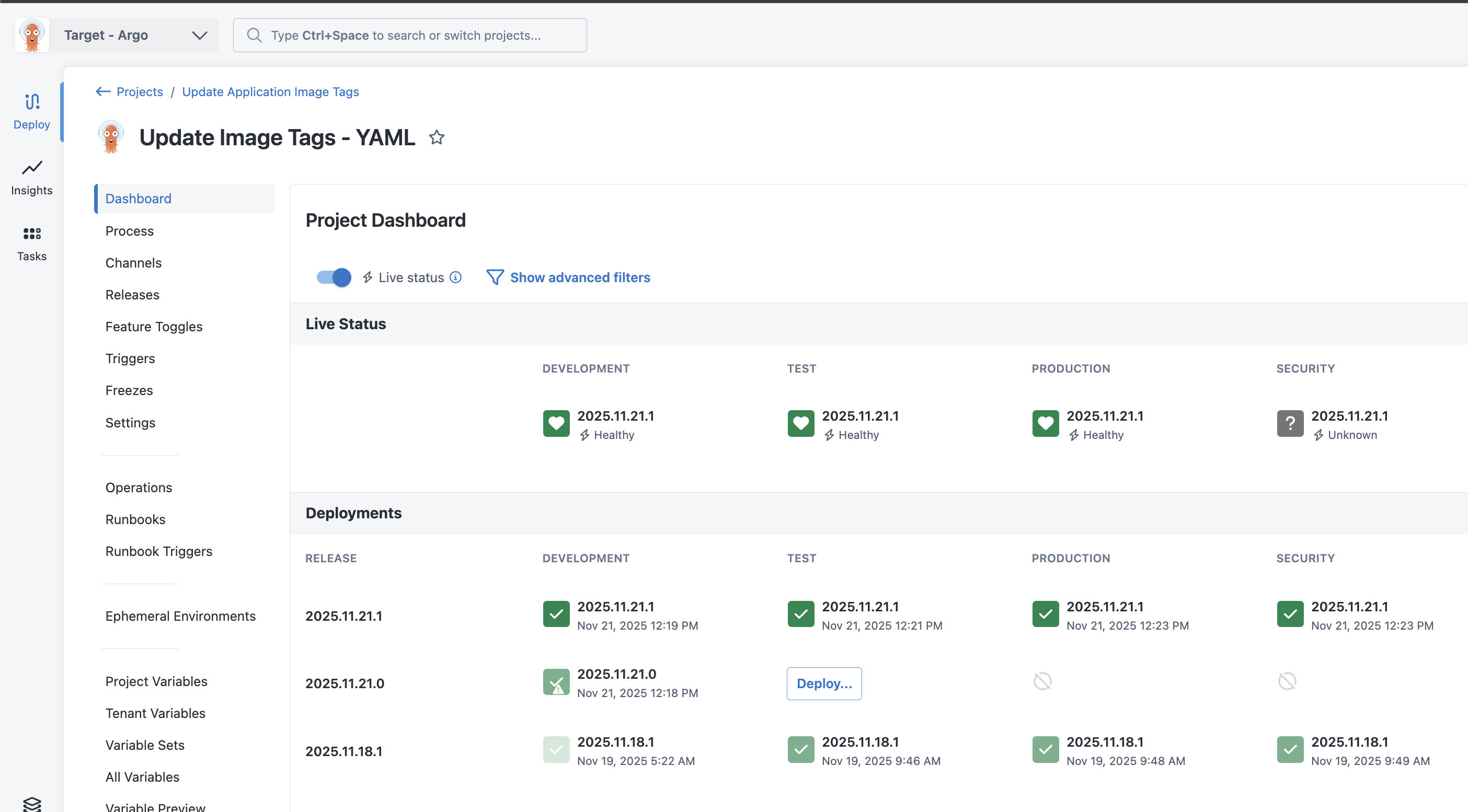
Octopus populates the Live Status Table with content taken directly from Argo.
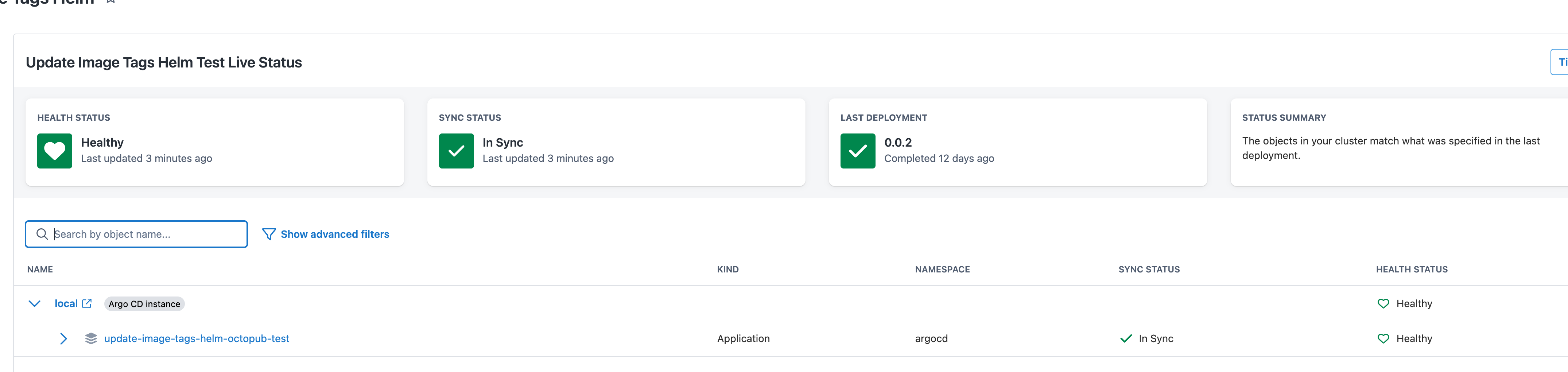
Project Health Status
The project health status is a roll-up of the health of all objects:
| Label | Status Icon | Description |
|---|---|---|
| Progressing | One or more objects of the mapped application are in a progressing state | |
| Healthy | The objects in the cluster match that specified in the applications’ source git repositories, and are executing correctly | |
| Unknown | We’re having trouble getting live status updates for this application | |
| Degraded | Your objects experienced errors after the deployment completed | |
| Missing | One or more desired objects are missing from the cluster | |
| Unavailable | Application live status is unavailable because your last deployment failed | |
| Waiting | Application live status will be available once the deployment completes | |
| Stale |  |
Status information is stale. No data has been received in the last 10 minutes |
Project Sync Status
Sync Status tracks whether the changes Octopus pushed to git still match what Argo CD has synced. Octopus recalculates this after each deployment and whenever Argo CD reports a sync event.
| Label | Status Icon | Description |
|---|---|---|
| In Sync | Argo CD reports the application is synced and the git configuration still matches what Octopus last applied | |
| Out of Sync | Argo CD has detected that the desired state in the cluster differs from the application’s git repository | |
| Git Drift | Octopus has detected that the changes it applied to git have been modified since the last deployment (e.g. by a manual edit) | |
| Unknown | We’re having trouble getting sync status updates for this application | |
| Unavailable | Application sync status is unavailable because your last deployment failed | |
| Waiting | Application sync status will be available once the deployment completes |
Object Health Status
| Label | Status Icon | Description |
|---|---|---|
| Progressing | Object is attempting to reach the desired state | |
| Healthy | Object is in sync and reporting that it is running as expected | |
| Unknown | We don’t have information about the live status of this object | |
| Degraded | Object has run into a problem, check the logs or events to find out more | |
| Missing | Object is missing from the cluster | |
| Suspended | Job is not currently running | |
| Stale | |
Status information is stale. No data has been received in the last 10 minutes |
Object Sync Status
| Label | Status Icon | Description |
|---|---|---|
| In Sync | Argo CD reports the object is synced and the git configuration still matches what Octopus last applied | |
| Out of Sync | Argo CD has detected that the desired state in the cluster differs from the application’s git repository. | |
| Git Drift | Octopus has detected that the changes it applied to git have been modified since the last deployment (e.g. by a manual edit) | |
| Unknown | We don’t have information about the live status of this object |
Detailed object information
Selecting an object or application name in the table will open a drawer containing detailed information.
The drawer contains up-to-date information regarding the selected object:
- Summary
- Events
- Logs
- Kubernetes YAML manifest
For Argo CD, all of these data fields are fetched on demand from your Argo instance. Tailing logs is not currently supported.
Manifest Diffs
Octopus presents manifest diffs in the opposite order to that shown in Argo.
In Argo, the left panel shows the live manifest in the cluster, and the right-panel shows the manifest that will be deployed when the application/resource is synced.
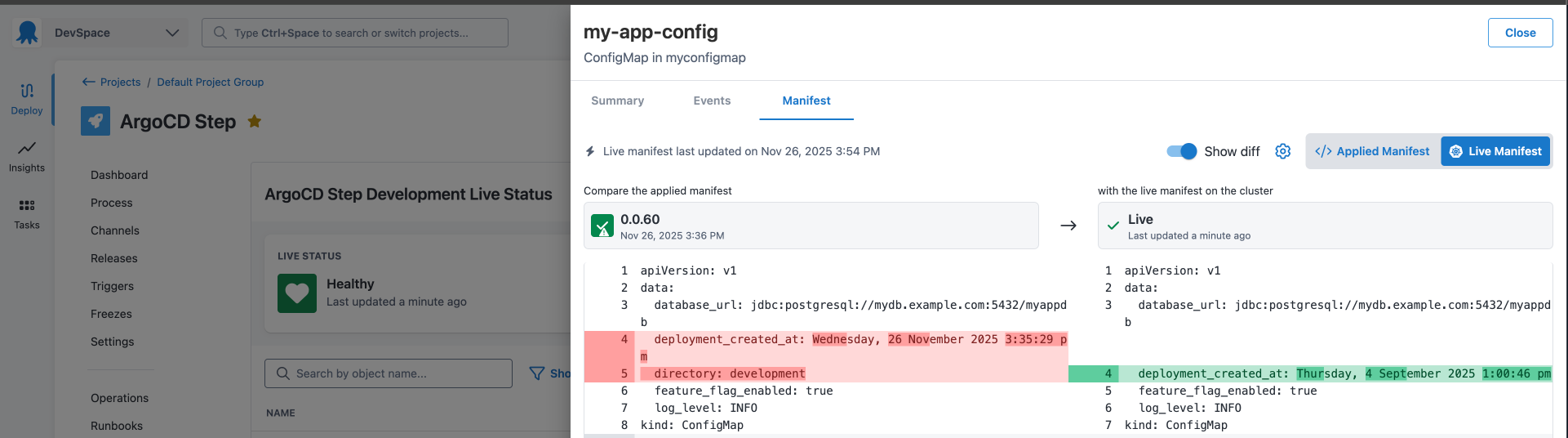
In Octopus, the left panel indicates “what was most recently written to the git repository”, while the right shows the live manifest.
| Left | Right | |
|---|---|---|
| Octopus | Manifest written to git repository as part of last release | The live manifest in the cluster |
| Argo CD | The live manifest in the cluster | The manifest in the git repository, which will be applied on sync |
As an example, In the following images, the date of deployment was updated in a configmap by an Octopus deployment.
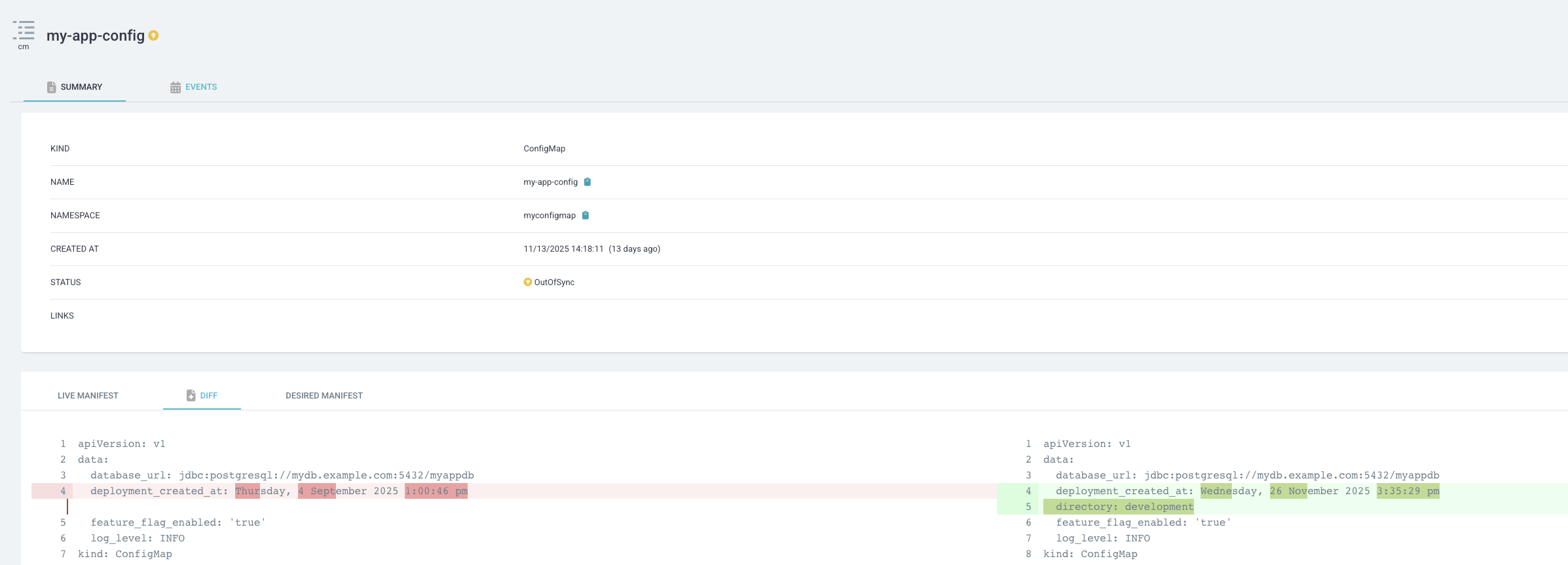
The same change, in Octopus will appear - note how the changes appear in opposite columns.